
Create your training directly in DGTLMS. No third-party tools.
DGT Studio Creator :
the authoring tool built into your LMS.
Most LMS platforms require you to produce your content in an external authoring tool (iSpring, Storyline, Rise…), export it as SCORM, then import it into the LMS. Two tools, two interfaces, two licences.
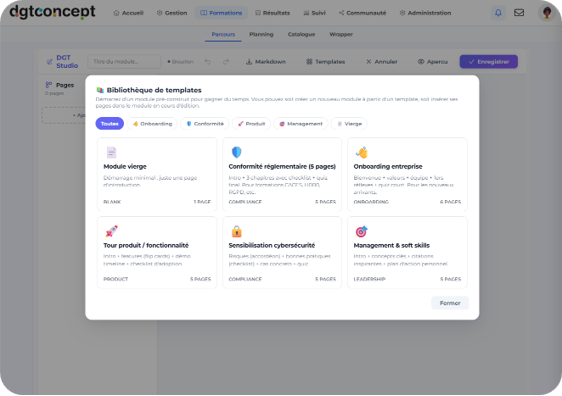
DGT Studio Creator changes this logic. The authoring tool is built directly into DGTLMS. You create your module, publish it, and your learners access it — all in the same environment, with no export, no import.
Interactiv e-learning modules
Create structured modules with content pages, interactions and assessments, directly in your browser.
Assessments
and quizzes
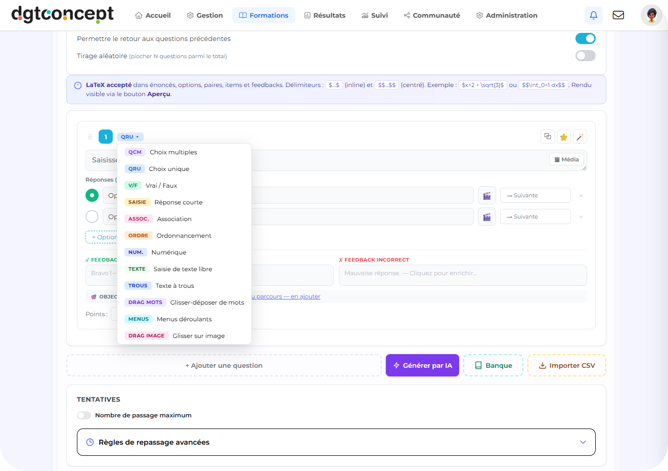
All assessment formats available in DGTLMS are accessible from DGT Studio Creator.
Micro-learning
Create short modules (5 to 10 minutes) optimised for mobile viewing. Micro-learning is particularly effective for refreshers, regulatory updates and field-based training.
of organisations now consider microlearning essential.
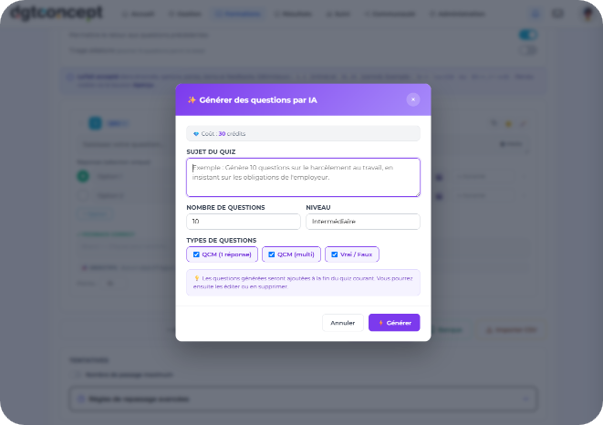
Automatic
quiz generation
Paste in a source text (procedure, regulation, product sheet) and DGT Studio Creator automatically generates a quiz based on that content. You review, adjust and approve.
Wirting assistance
AI suggests rewordings, simplifications and structural recommendations to make your content clearer and more engaging.
average productivity gain for teams
DGT Studio Creator
vs external authoring tools
DGT Studio Creator is not designed to replace Articulate Storyline for complex simulations or advanced branching scenarios. It is built to cover 80% of the content creation needs of most organisations — quickly, without technical skills, without an additional licence.
When to use
DGT Studio Creator
When to use an external
authoring tool (iSpring, Storyline, Rise, Captivate…)
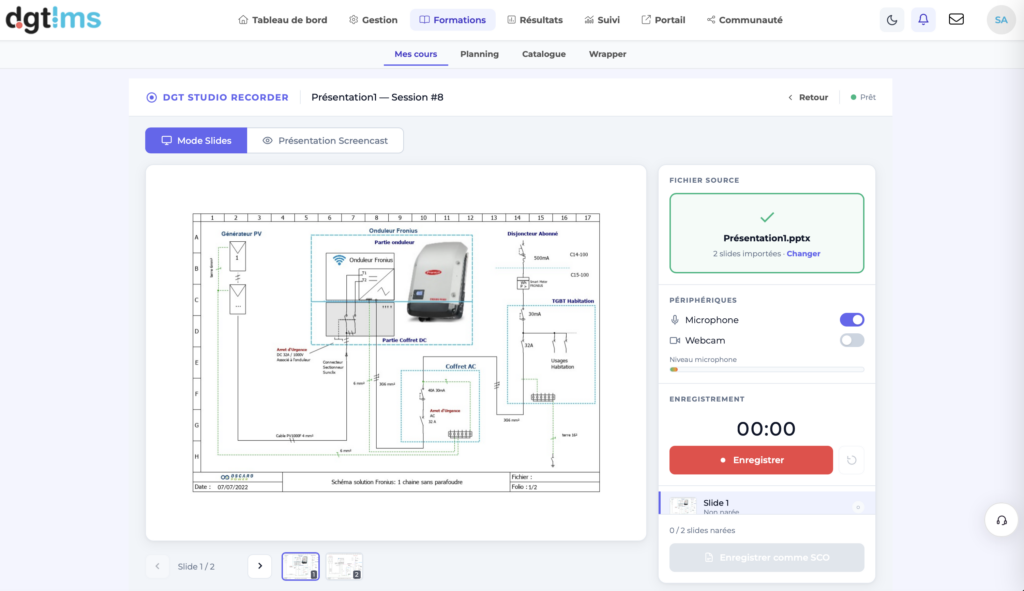
DGT Recorder : produire en quelques minutes
Deux modes, sans quitter la plateforme :
Frequently asked questions
Faut-il une licence d'outil auteur en plus ?
Non. DGT Studio est inclus, sans licence par concepteur ni facturation par module produit.
Mes concepteurs peuvent-ils travailler à plusieurs ?
Oui, sur des modules différents. Sur un même module, un verrou d’édition évite que deux personnes écrasent mutuellement leur travail.
Et si je veux continuer à utiliser Storyline ?
Rien ne l’empêche. Vos exports SCORM ou xAPI s’importent et s’exécutent normalement. Beaucoup de nos clients combinent : Storyline pour quelques modules soignés, DGT Studio pour tout le reste, qu’il faut pouvoir corriger vite.
Les contenus produits sont-ils exportables ?
Ils se diffusent en packages SCORM, SCORM 2004 ou cmi5 vers d’autres plateformes. Voir le SCORM Dispatcher